FSM Integration
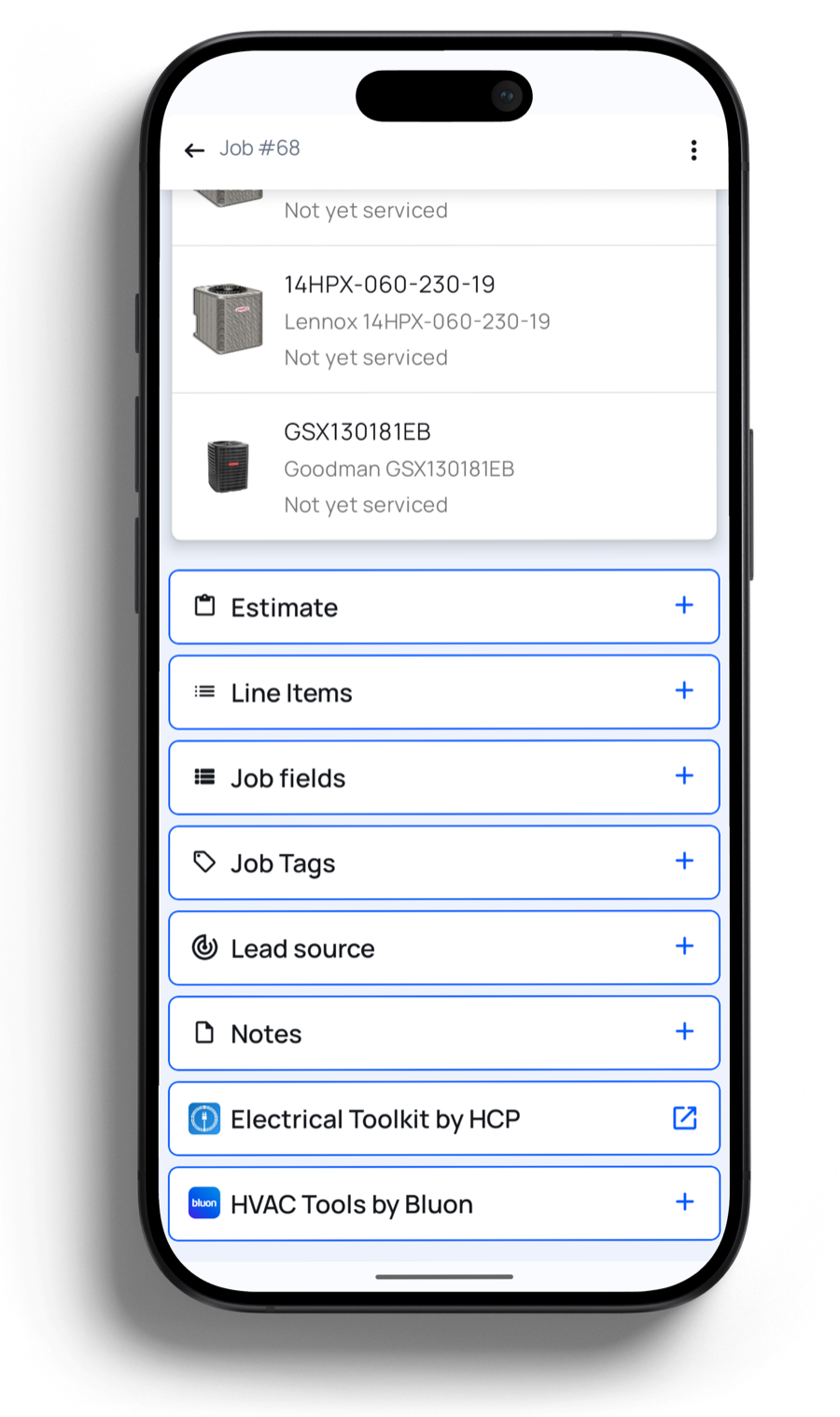
Your techs stop switching apps. They open the job they're already on, tap HVAC Tools by Bluon, and get the specs, manuals, parts and A.I. tech support for the exact unit in front of them — written straight back to the Property Profile.
No app switching · No second login · Data saved to the job
Who it's for
One to ten techs. Service and replacement work in homes. You're past the point where you can personally answer every question from the field, and you're not about to rip out the software that runs your business to fix it. Housecall Pro already runs the job. Bluon runs the equipment.
Techs ask MasterMechanic instead of calling you. Up to 80% of the questions that used to land on your desk never get asked.
Verified OEM part numbers plus cross-references for the exact model, so the supply-house run happens once. Up to 90% fewer wrong-part orders.
A.I. tech support trained on 135,000 real tech-to-tech calls walks a green tech through a unit they have never touched — without them having to admit it to anyone.
How it works
From the job's action list, your tech taps HVAC Tools by Bluon. Here is everything that happens next, exactly as they see it.
Find the unit
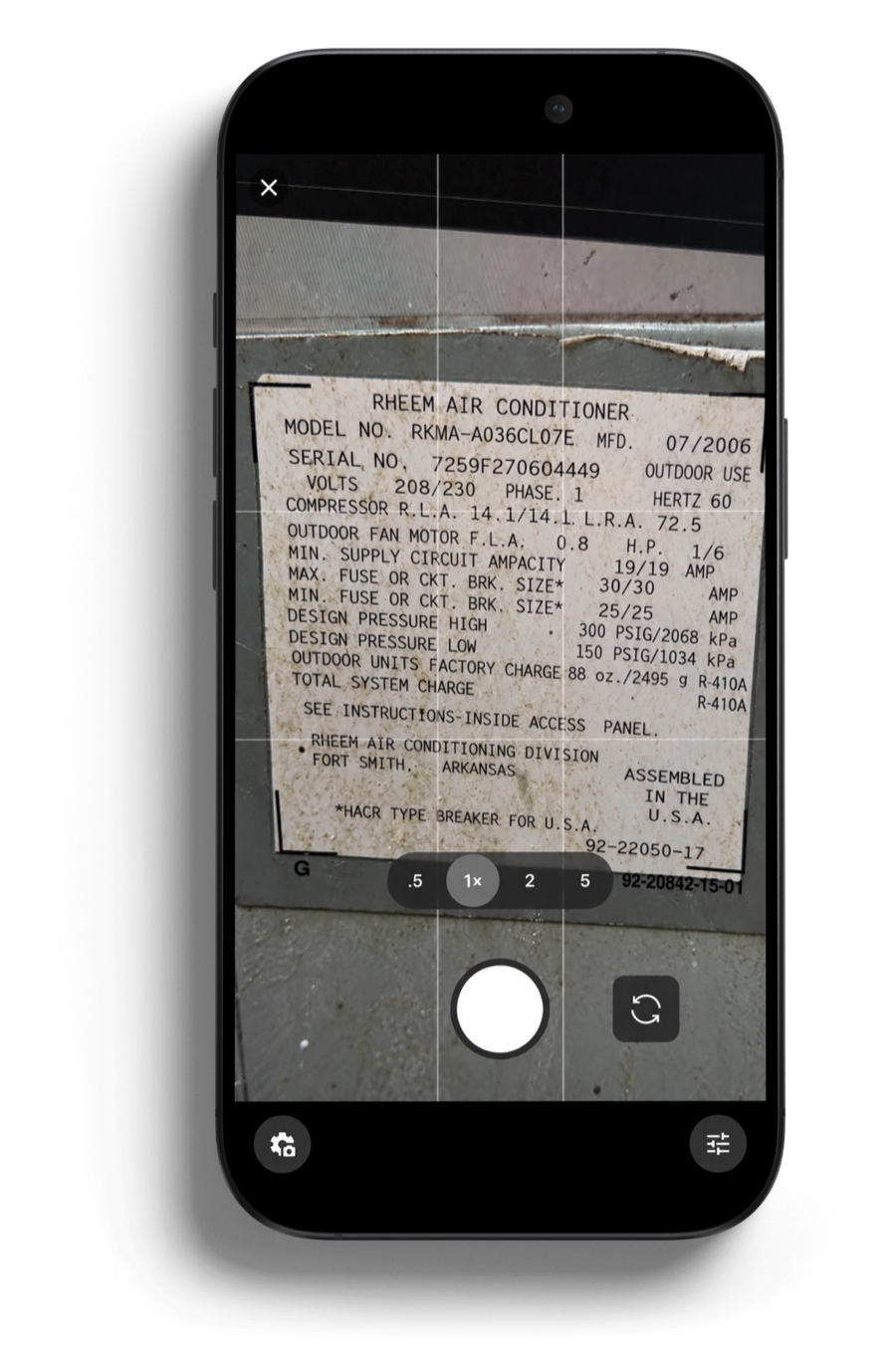
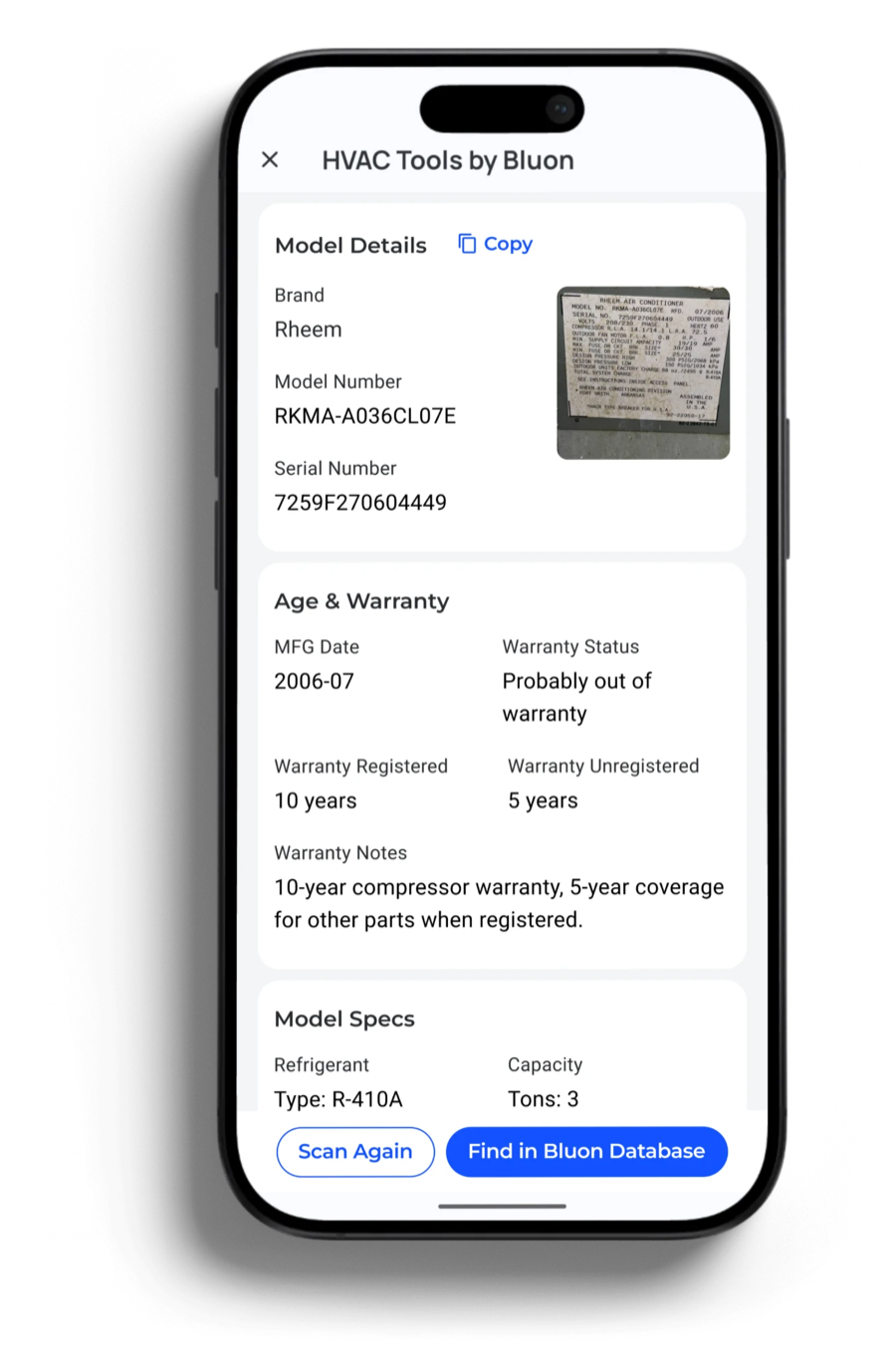
One photo of the nameplate. Bluon reads the model and serial straight off the plate, matches them against the largest equipment database in HVACR, and comes back with the age, the warranty position and the specs — so a weathered plate or a transposed digit doesn't send someone down the wrong parts list.
Work the call
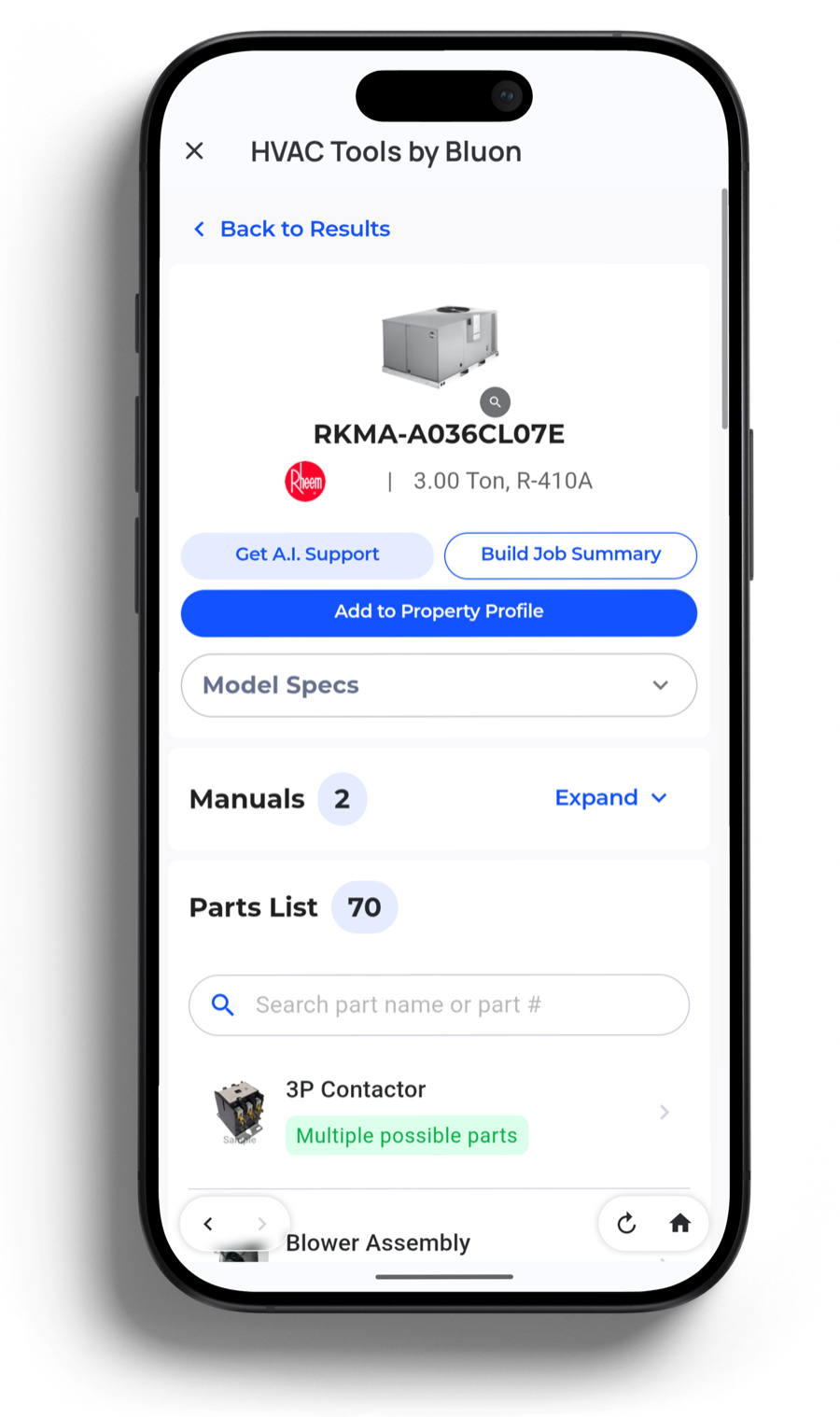
Specs, manuals, and the full parts list with replacement options flagged. Add to Property Profile writes the equipment back to Housecall Pro, so the next tech who rolls up already knows what's on the pad — and you have the age and warranty data when it's time to talk replacement.
Get unstuck
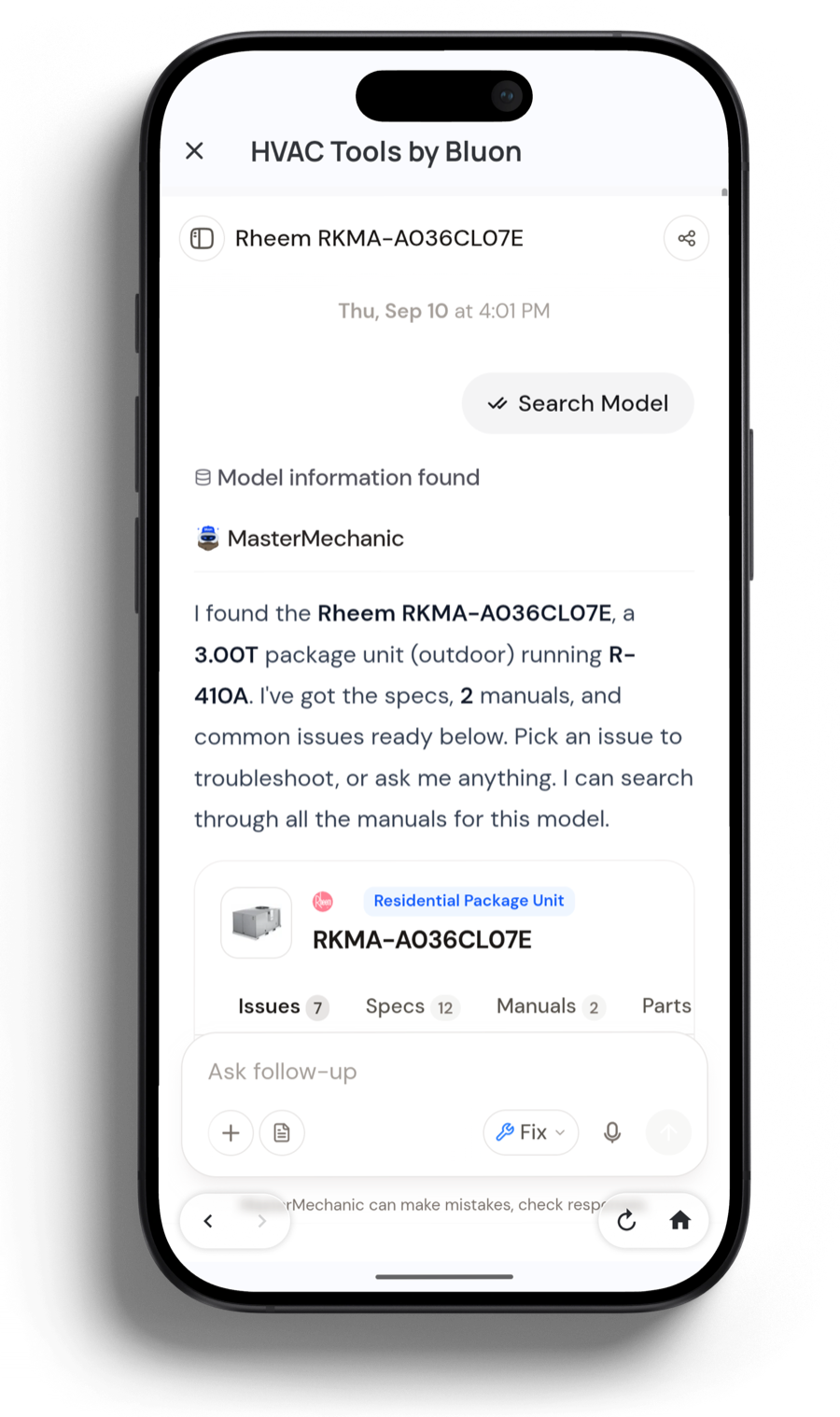
MasterMechanic already knows which unit they're on. It confirms the model, pulls the specs and manuals, and offers the common issues for that equipment — then troubleshoots from there.
In the field
Everything a tech used to keep in separate apps, browser tabs and a paper chart in the door pocket — now reachable from the job they already have open.
MasterMechanic is trained on 135,000 real tech-to-tech support calls and QC'd by veterans — not a general chatbot guessing from forum posts.
One photo pulls model and serial, age, estimated warranty, refrigerant, voltage and circuit count. No squinting at a sun-bleached plate, no mistyped digits.
Verified OEM part numbers with aftermarket cross-references, plus PartsConnect to see who actually has it on the shelf near the job.
Install, service and wiring documents for the exact model — not a forum thread about something close to it.
Superheat and subcooling, target superheat, airflow and airflow diagnostic, TXV sizing, nitrogen pressure test, setpoints and the PT chart.
Voice or a few words in, a customer summary and a technical summary out. Documentation that actually gets written, in seconds instead of twenty minutes.
Back at the office
Bluon isn't a separate system your techs have to remember to update. What they capture on the call goes back into Housecall Pro — against the property, on the job.
Equipment your tech looks up gets written to the property. The next tech dispatched there opens the job already knowing the make, the model and what's been done.
Age and estimated warranty come back with every unit. Equipment aging out of warranty becomes a maintenance-agreement and replacement list instead of a guess.
Professional job summaries give the homeowner a clear record of what was found and what was fixed — around 30% fewer billing disputes, and write-ups worth leaving a review over.
Bluon runs inside the Housecall Pro mobile app your techs already carry, and there's a desktop version for whoever is pulling parts and running the board back at the shop.
Getting started
No implementation project, no data migration, no retraining the crew on a new system. They keep working the way they already work.
Add HVAC Tools by Bluon to your Housecall Pro account. It appears in the job's action list for every tech on your team.
It takes one job. Techs pick Bluon up on their own because it makes their day shorter — adoption doesn't need a mandate from you.
Onboarding and support come from Bluon, not from your office. What most owners notice first is the second trip that didn't have to happen.
Next step
Fifteen minutes with someone who has run service calls, on your equipment and your workflow.
Already on Bluon? Ask your rep to switch the integration on.