Podium Integration
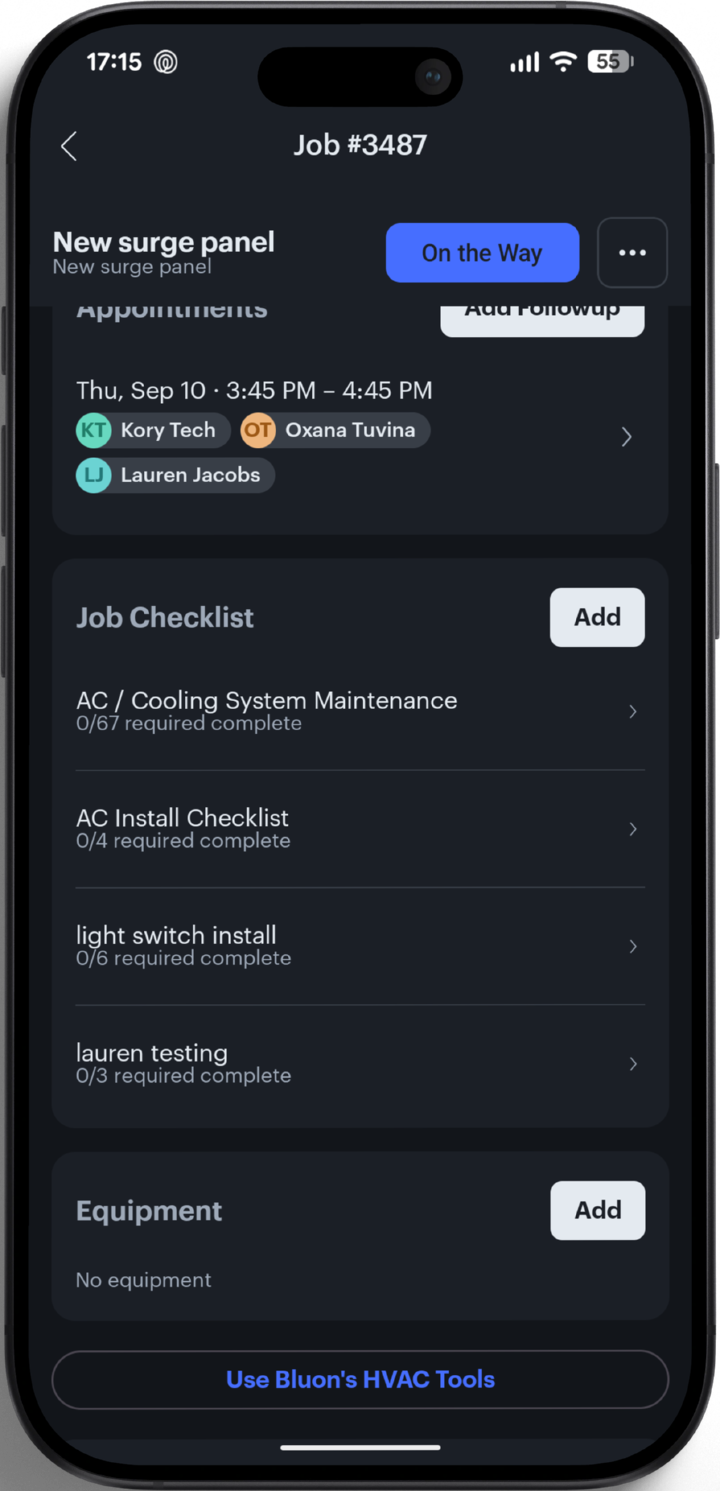
Your techs already open Podium on every job. Now that job screen carries one more line — Use Bluon’s HVAC Tools — and behind it sits the model #, the OEM manuals, the full parts list and A.I. support built only for HVAC-R. No second app. No second login.
Built for your shop
A three to ten tech residential shop doesn’t keep a dispatcher on the phone, a parts runner in a truck and a senior tech sitting by the radio. Podium covers the customer side of the job. Bluon covers the mechanical side. Same app, same job, same login.

Your A.I. Employee answers the call or text, qualifies the lead, books it and puts it on the board as a job — at 10pm on a Sunday, if that’s when it comes in.
From inside that same job, one tap opens Bluon on the exact unit in front of them — no retyping the address, the customer or the model #.
Model # search
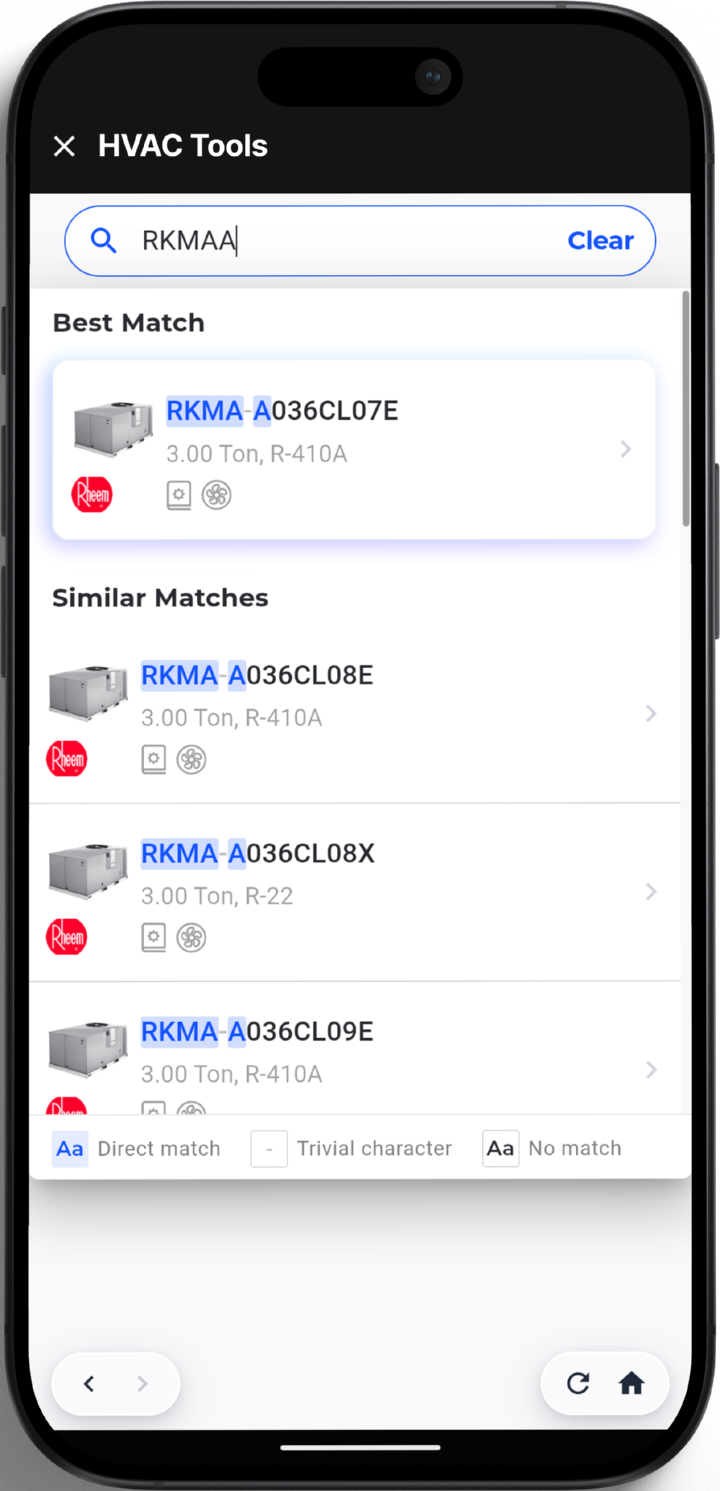
Type what your tech can actually read. Bluon fuzzy-matches it against over 20 Million Model #s from over 200 Brands, then shows the best match next to the ones that are a character or two off — and marks which characters differ. One scratched character stops sending a truck out with the wrong contactor.
Specs, manuals and parts
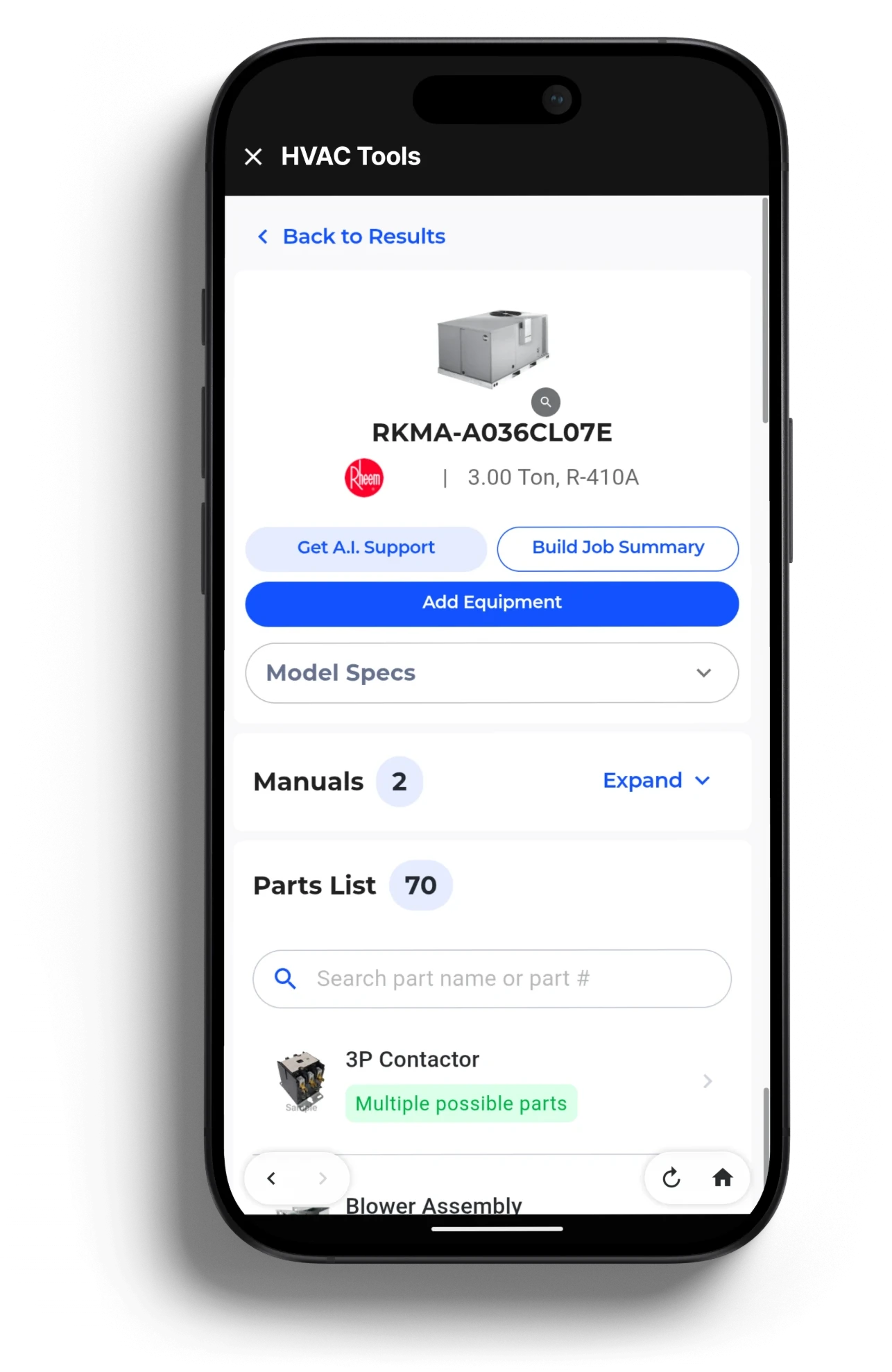
Tonnage, refrigerant, model specs, 2 OEM manuals and a 70-part bill of materials for that exact model — with a photo on every part, so your tech points at the contactor instead of describing it over the phone to the counter.
MasterMechanic A.I.
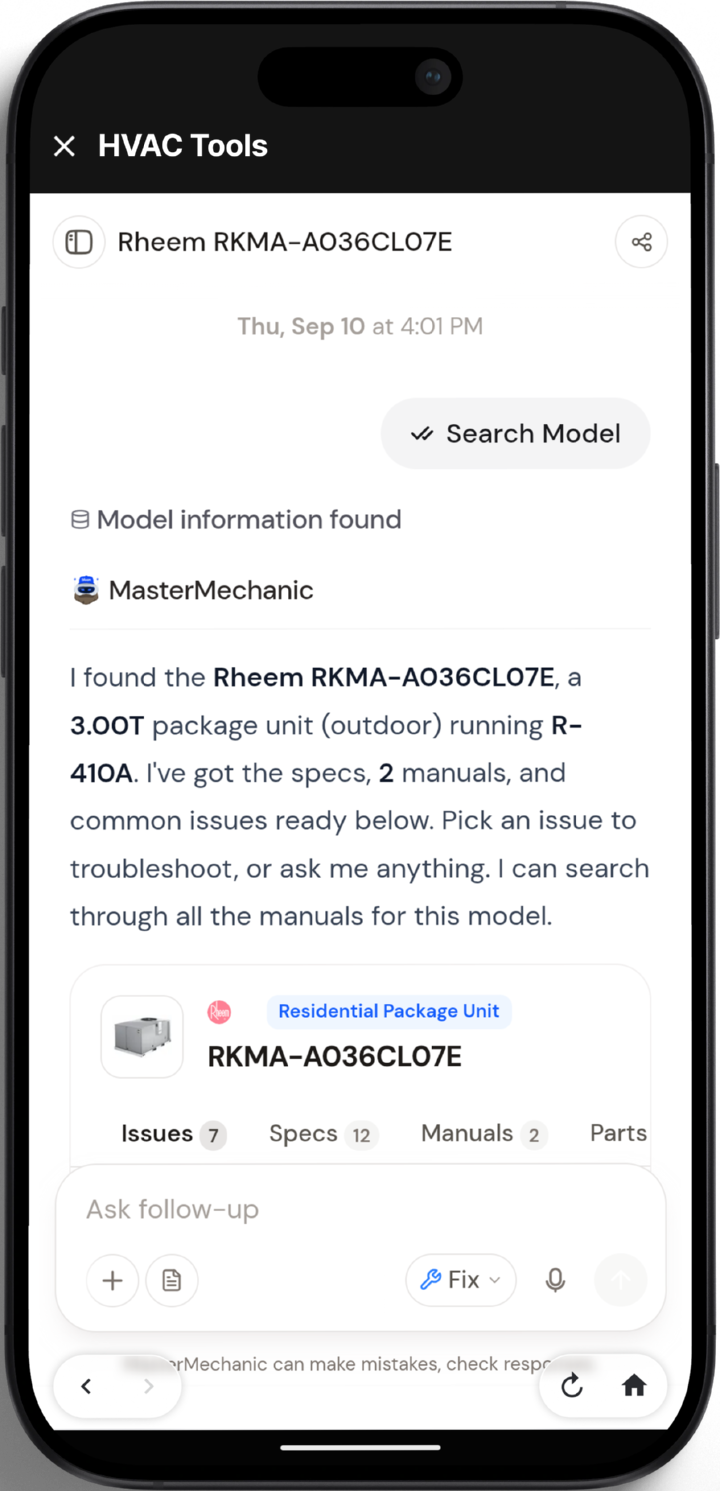
MasterMechanic already knows which unit your tech is standing in front of. It reads the OEM manuals for that model, walks the issues that actually come up on it, and answers follow-ups in plain language — so your second-year tech gets a senior tech’s answer without pulling a senior tech off their own call.
MasterMechanic can make mistakes — check responses.
Why this matters
On a resi shop of this size, one wrong part or one avoidable callback eats the margin on the job that paid for it. Every minute of this is a minute your tech was already going to spend — on the phone, in the truck, or back at the supply house.
The full BOM for that exact model, with photos, before the tech leaves the property. Fewer supply-house runs, fewer second visits.
The OEM manual and the known issues for that unit, on the job, so the fix that goes in is the one that holds.
Newer techs ask MasterMechanic first. The radio stops being your training program.
It lives inside the app your crew already opens every morning. No second login, no training day, no new device.
Getting started
Step 01
If your shop is on Podium, the surface is already in your techs’ hands. There is nothing to install and no second app to get onto the phones.
Step 02
Podium is the one who switches HVAC Tools on for your account, so it is one ask to your Podium rep — not a new vendor to sign up with. Your techs keep the same login and the same job list they had yesterday.
Step 03
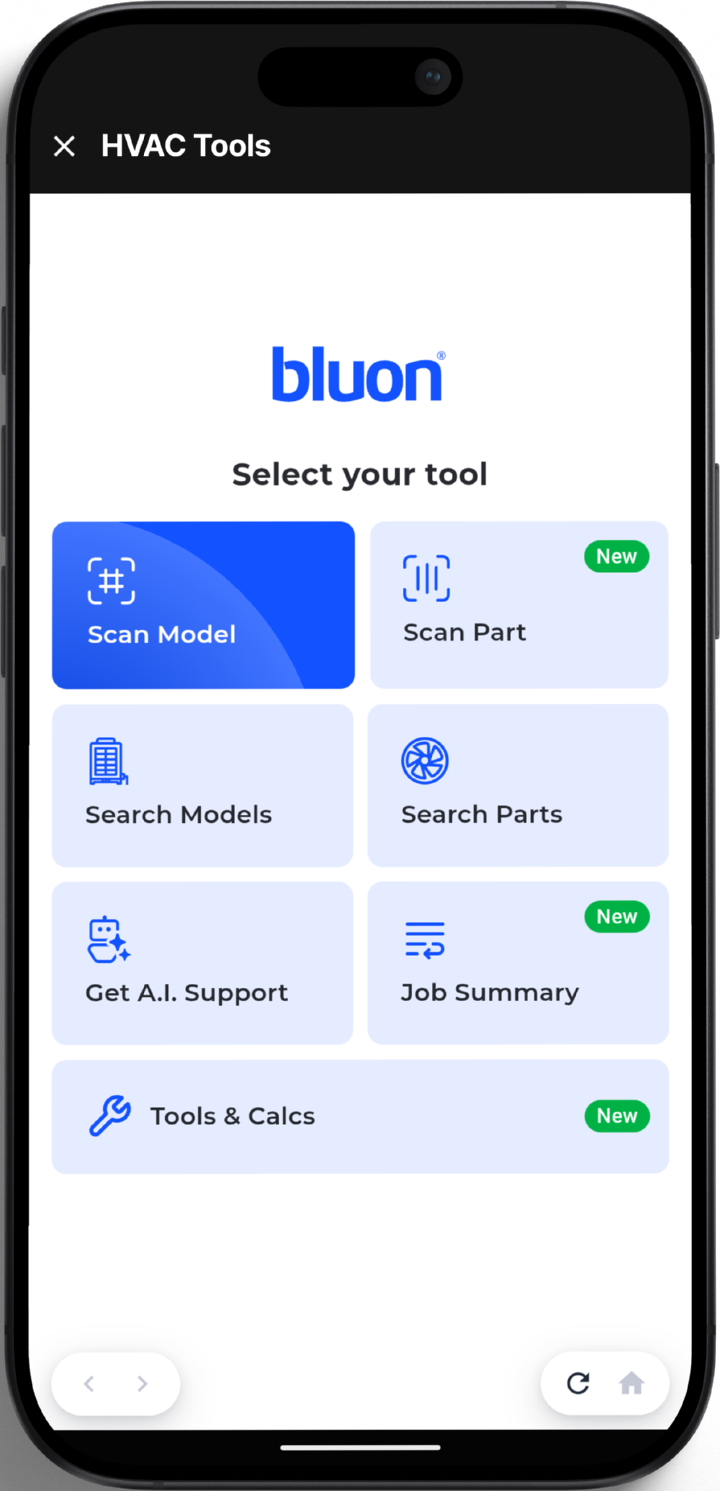
On any job, Use Bluon’s HVAC Tools opens Bluon right there — scan the nameplate, pull the parts list, ask the A.I., add the equipment back to the job.
Get started
Your crew is already in Podium on every job. Bluon puts the largest equipment database in HVACR one tap away on that same screen — the model #, the OEM manuals, the parts list and the A.I. support behind them.