

Asset intelligence for every ServiceTitan location
Bluon turns the equipment in your ServiceTitan account into data your whole company can act on — brand, model, age, warranty, specs and parts for every unit.
This is different from ServiceTitan’s Field Pro, though we do work with ServiceTitan. Let’s chat and we’ll explain the differences.
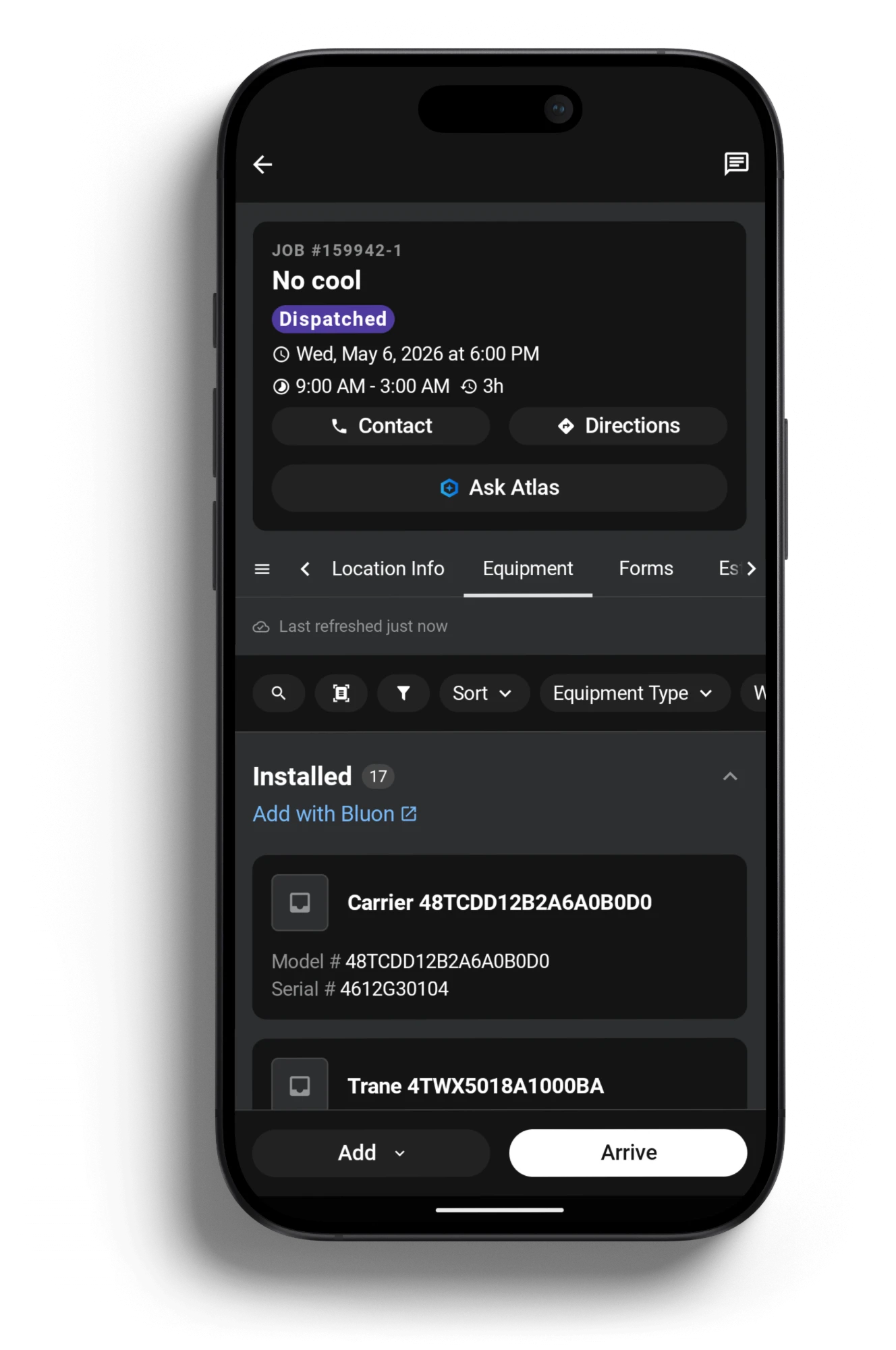
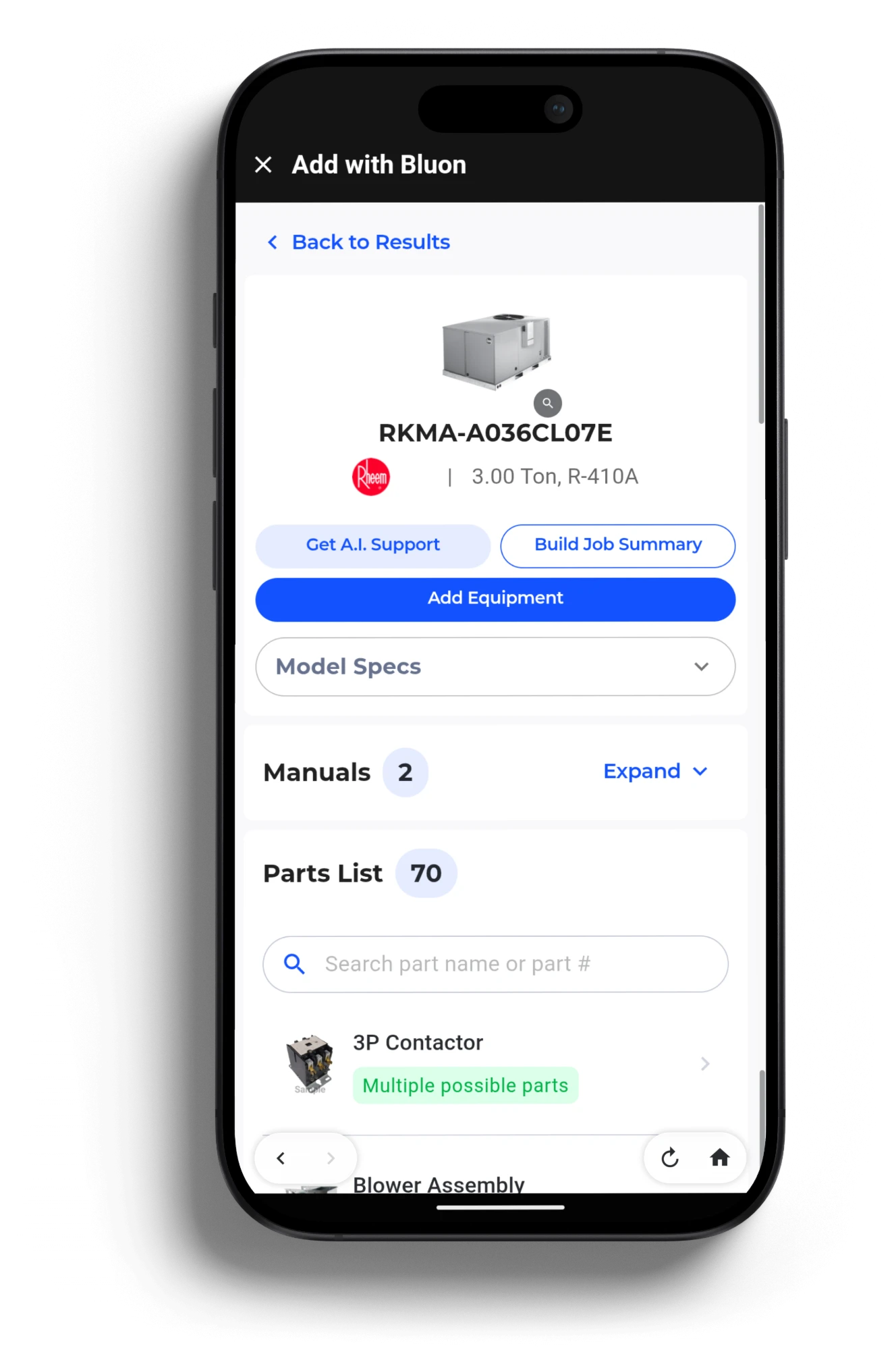
- Accurate equipment records on every location
- Age, warranty and specs for every unit
- Built into ServiceTitan, in the field and the office
What’s behind it
The largest equipment database in HVACR
Current and legacy systems, including equipment whose manuals aren’t online anywhere. Every record ties specs, age, manuals, schematics and BOMs to the parts that fit.
Unique HVAC models
Specs, age, manuals, schematics and bills of materials by model #.
Brands covered
From mini-splits to chillers, with compatible replacement parts for each unit.
Live tech support calls
What Bluon’s A.I. was trained on, answered by veteran technicians.
Bluon equipment data, 2026.
One job, start to close
From the nameplate to the asset record
Every scan builds a better asset record in ServiceTitan — without the tech leaving the job they were dispatched to.
Open the job
On the Equipment tab, tap Add with Bluon. Same job, same app, same login.
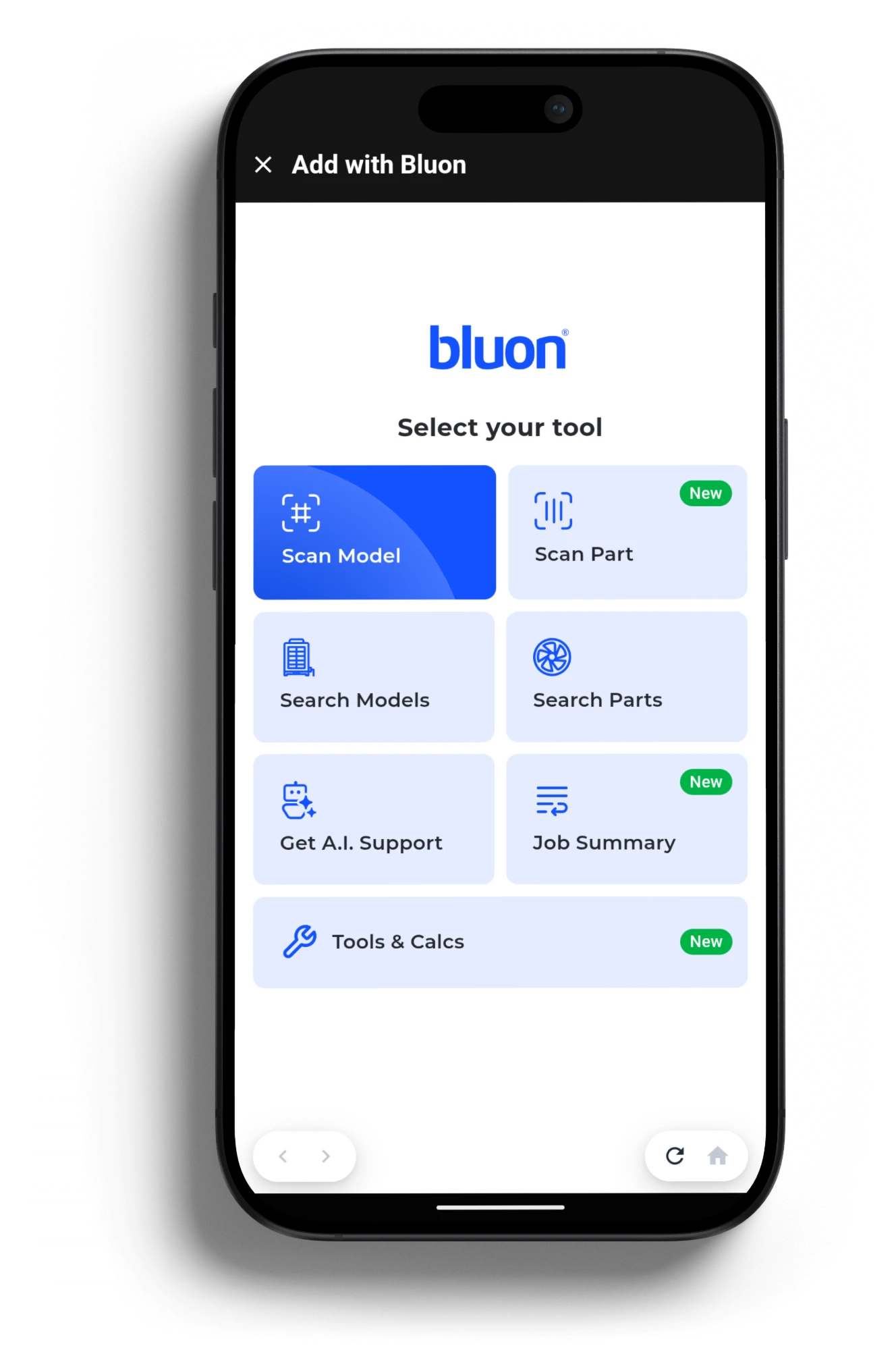
Pick your tool
Scan a model or a part, search by model #, get A.I. support, or build a job summary.
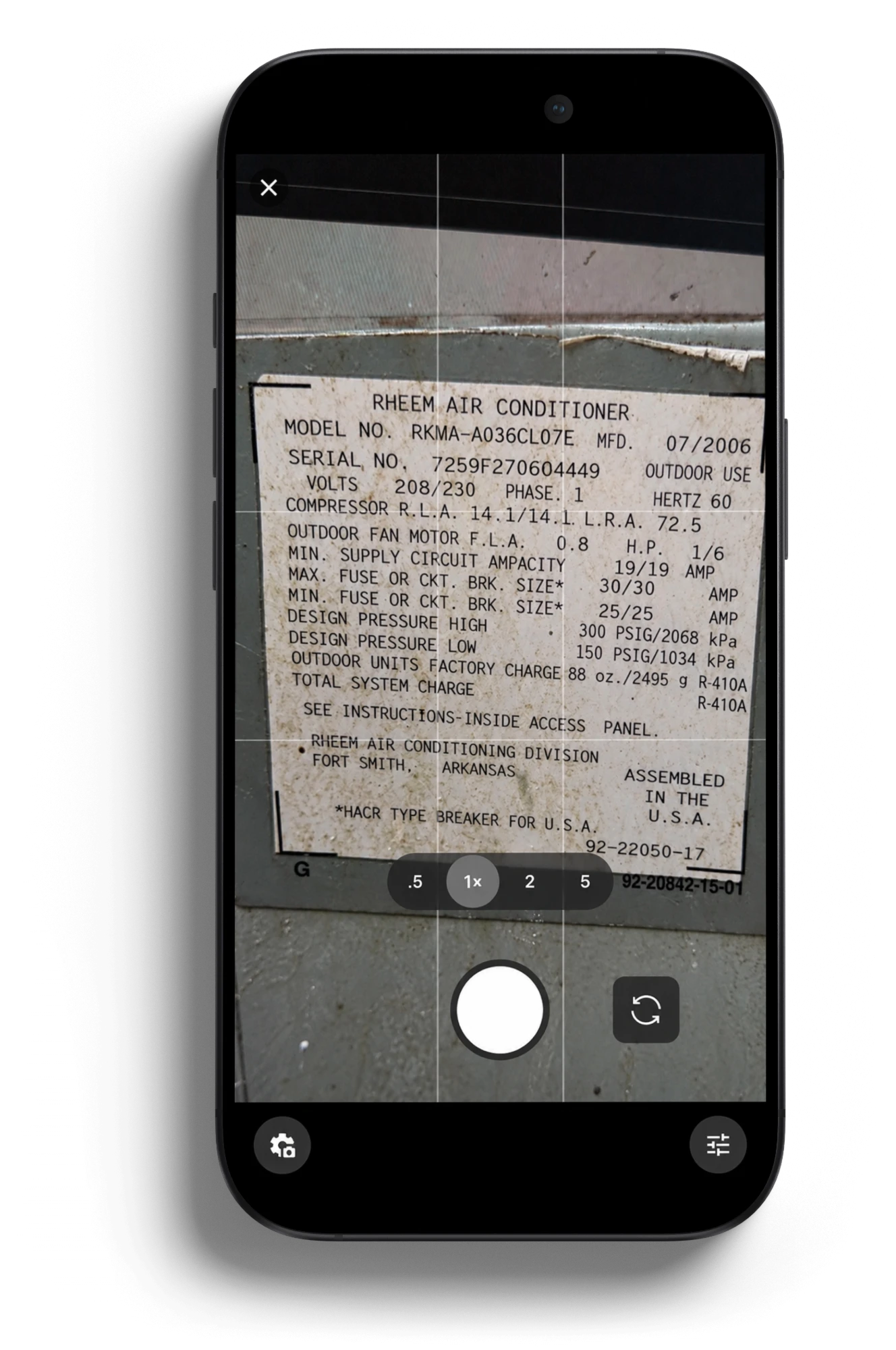
Scan the nameplate
Point the camera at a faded, dirty data plate. No squinting, no typos in the model #.
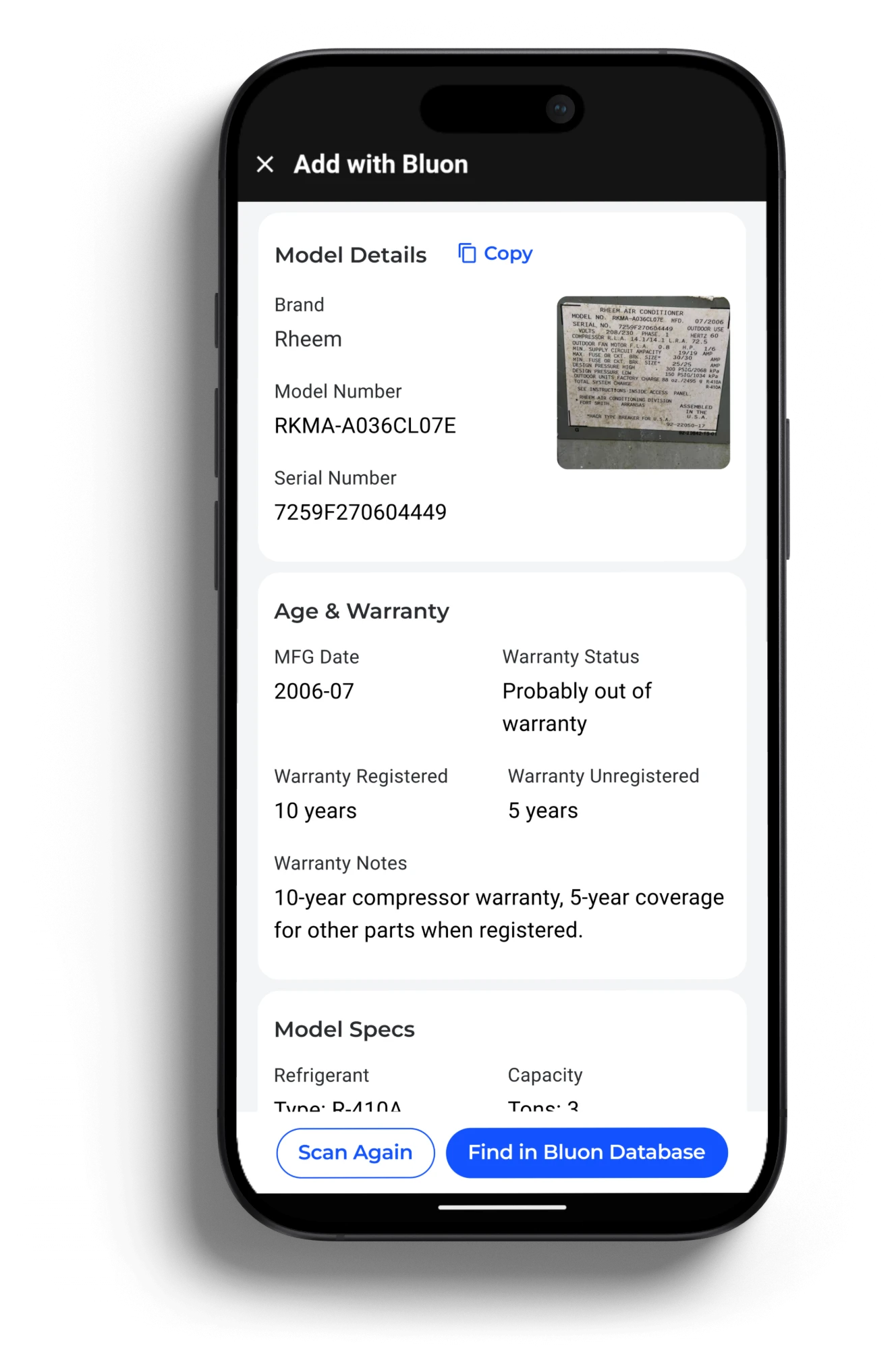
Age and warranty, decoded
Brand, model, serial, MFG date and warranty status read straight off the plate.
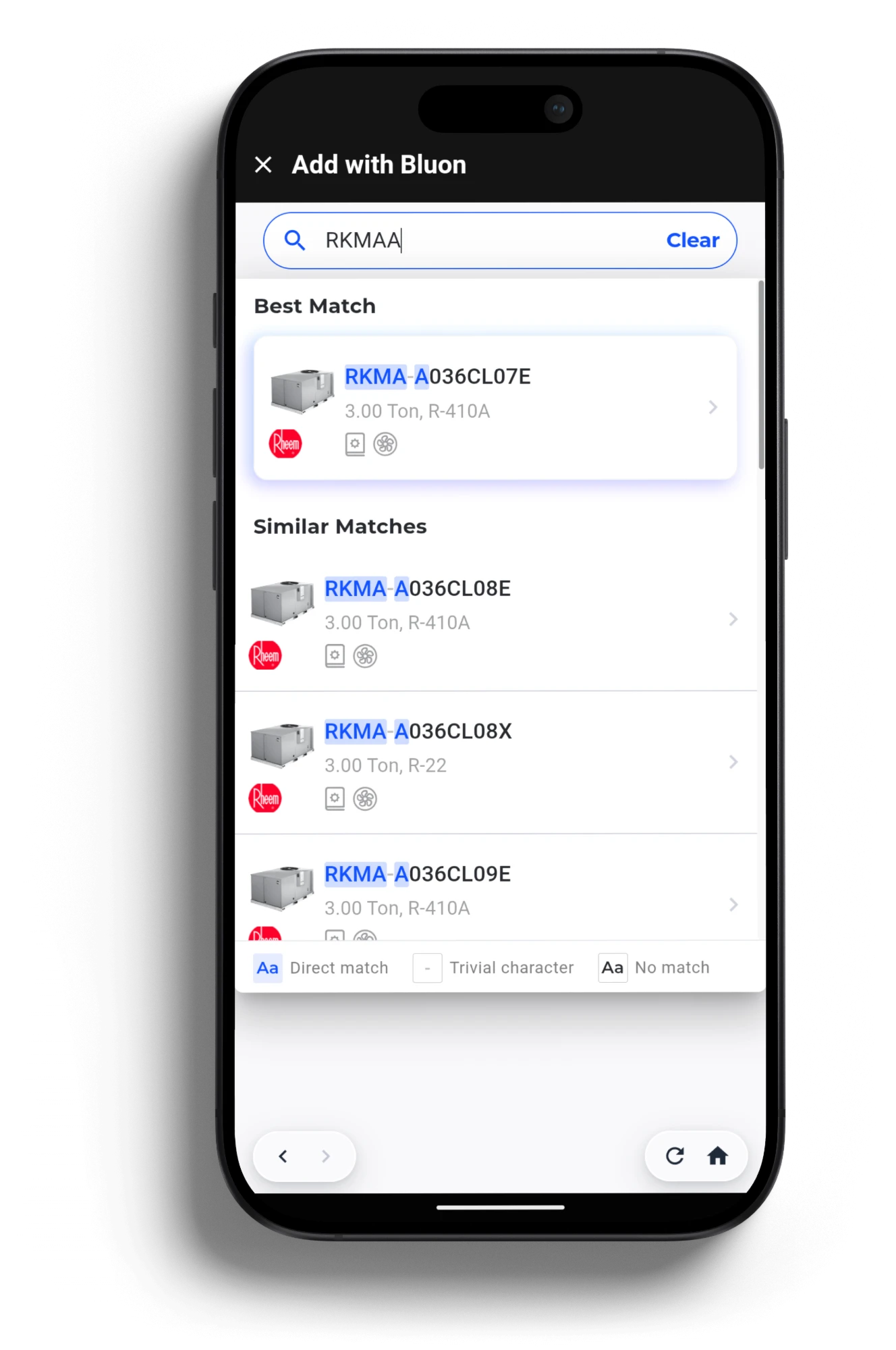
Or search by model #
Type a partial number and Bluon finds the best match, even with a missing dash.
Add it to the job
One tap logs the equipment in ServiceTitan, with manuals, parts and A.I. support a tap away.
Product demo
See Bluon in a ServiceTitan job
Across the whole company
The problems this actually solves
Equipment records in ServiceTitan are blank, wrong, or typed in from a faded nameplate.
Scan once, log it right. The nameplate scan reads brand, model, serial and age, matches it to Bluon’s database, and adds the equipment to the location.
Aging, out-of-warranty units sit unnoticed until they fail on the hottest day of the year.
Age and warranty on every record. See which units are near end of life or out of coverage, so the replacement conversation starts before the no-cool call.
Service agreements and PM bids get priced off guesses about what is installed.
Price off real equipment data. Tonnage, refrigerant, age and specs by model # — so the number you quote reflects the fleet you actually service.
The right part exists, but nobody knows which distributor has it today.
PartsConnect finds it. See compatible parts for that exact model and which of your preferred distributors carry them.
The office, parts room and warehouse can’t see what the tech is looking at.
A desktop version for managers. Sales, parts, warehouse and service managers work from the same Bluon data as the field.
Your senior techs spend the day on the phone walking juniors through diagnostics.
HVAC-specific A.I. support, not ChatGPT. Guided troubleshooting for the model on the job, trained on 150,000 live tech support calls.
How to think about it
The engine inside ServiceTitan
ServiceTitan runs your business — dispatch, scheduling, the customer record, invoicing. Bluon is the asset intelligence underneath it.
Bluon is not a field service platform and never competes with the one you bought. It is the equipment data and A.I. layer that makes every asset record, quote and job in ServiceTitan smarter.
ServiceTitan
Dispatch, scheduling, customer and location records, invoicing, reporting
Bluon
Nameplate scanning, specs, age & warranty, OEM parts, PartsConnect, HVAC A.I.
The result
One workflow. No app switching. No double entry.
Who feels it
Owners see the fleet. Techs feel relief.
For owners, sales and service managers
- Accurate asset data on every ServiceTitan location, not just the ones someone typed in
- Spot aging and out-of-warranty equipment before it becomes an emergency call
- Price service agreements and PM bids off real specs
- Parts and warehouse teams working from the same data as the field
- Fewer callbacks and fewer wrong parts on the truck
For the techs in the field
- Scan the plate instead of thumb-typing a model # into three apps
- Age and warranty status before you quote the repair
- The right part number, and a distributor that has it in stock
- A straight answer on equipment you were never trained on
Questions we get
Before you talk to us
Do my techs need a second app?
No. Bluon runs inside ServiceTitan, including the Field Mobile app. Techs open it from the job they were dispatched to.
What do I need to get access?
A Bluon for Business subscription alongside your ServiceTitan account. We handle onboarding and support.
Is this the same as ServiceTitan Field Pro?
No. Bluon is a separate product that works inside ServiceTitan. Book a demo and we’ll walk you through the differences.
Does it cover commercial equipment?
Yes. Residential and commercial, current and legacy, from mini-splits to chillers across 260+ brands.
How is this different from a general A.I. assistant?
Bluon’s A.I. was trained on 150,000 live tech support calls handled by veteran technicians, and it answers for the exact model on the job.
Where does the equipment data end up?
In ServiceTitan, on the job and location it came from — not in a second system.
Book a demo
Put Bluon in your ServiceTitan
Bring us your locations and your fleet mix. We will show you what Bluon’s asset intelligence looks like on your ServiceTitan account.